

You’ve just launched your dropshipping store.
The product photos look sharp, the prices are fair, and the ads are driving traffic.
Yet the carts keep getting abandoned right at checkout.
Sound familiar?
I’ve seen this happen again and again, and the culprit is rarely the product.
It’s trust.
Shoppers don’t know your brand, they can’t see your warehouse, and they’re about to type their card number into a store they discovered ten minutes ago.
That’s a big ask!
Trust badges are the quiet signals that answer the question every visitor is silently asking: “Is it safe to buy from you?”
In this guide, you’ll learn which trust badges and security seals actually matter for a dropshipping business, where to place them on your homepage, product pages, cart, and checkout, and how to avoid the mistakes that make badges backfire.
By the end, you’ll have a clear placement plan to lift your conversion rate and cut cart abandonment.
1. Why Trust Badges Matter More for Dropshipping Stores Than Established Brands
Trust badges matter more for dropshipping stores because shoppers have zero history with them.
With no famous name and no storefront, a young shop has to prove it’s safe using visible cues like security seals, payment logos, and real reviews.
Picture a shopper named Dana (a composite example, not a real case) landing on a store she’s never heard of. The product looks great and the price is fair. But there’s no address, no familiar brand, and nothing saying “real humans run this place.”
That’s the unknown-store problem in a nutshell. Big retailers get the benefit of the doubt. A newer shop? Not so much.
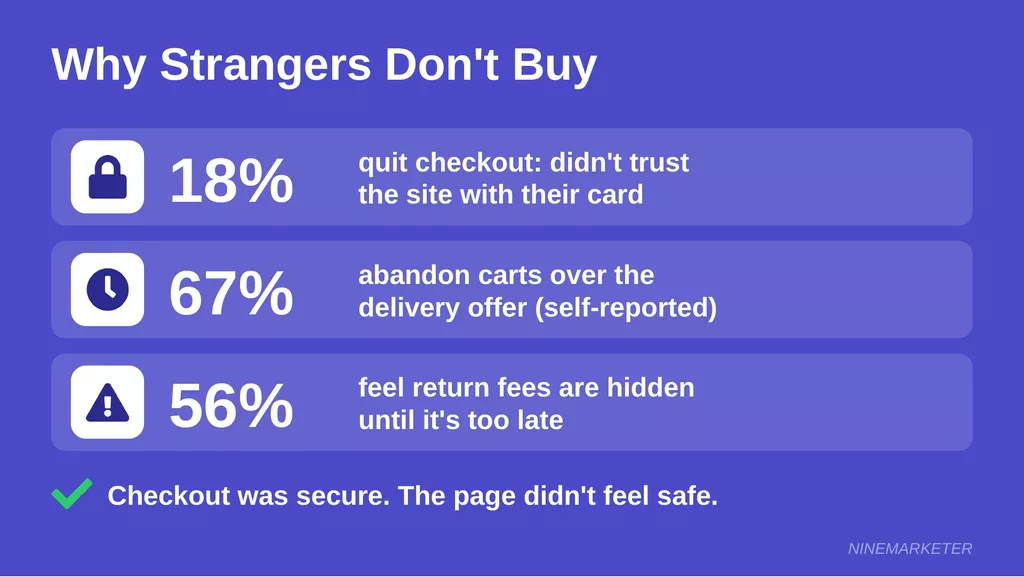
Here’s where perceived risk kicks in. A Baymard Institute study found that 18% of shoppers had bailed on a checkout within three months because they didn’t trust the site with their card details. Baymard also noted that the better known a brand is, the fewer visual security cues it needs. Flip that around, and a no-name store needs plenty.
The scary part?
The checkout itself was usually just as secure as anyone else’s.
The doubt came from how the page felt, so even simple things like a bordered, shaded card field helped.
Shoppers also scan for dropshipping red flags, and they get good at it fast.
Slow delivery is a big one: DHL’s survey reported that 67% of shoppers abandon carts over the delivery offer, although those numbers are self-reported.
Nearly four in ten UK shoppers, according to Sendcloud’s research, quit because delivery is too slow.
Vague policies don’t help either.
ICSC’s survey showed that 56% of shoppers feel retailers hide return fees until it’s too late.
And a missing contact page?
Honestly, that one makes people nervous before they even reach the cart.
So what actually works?
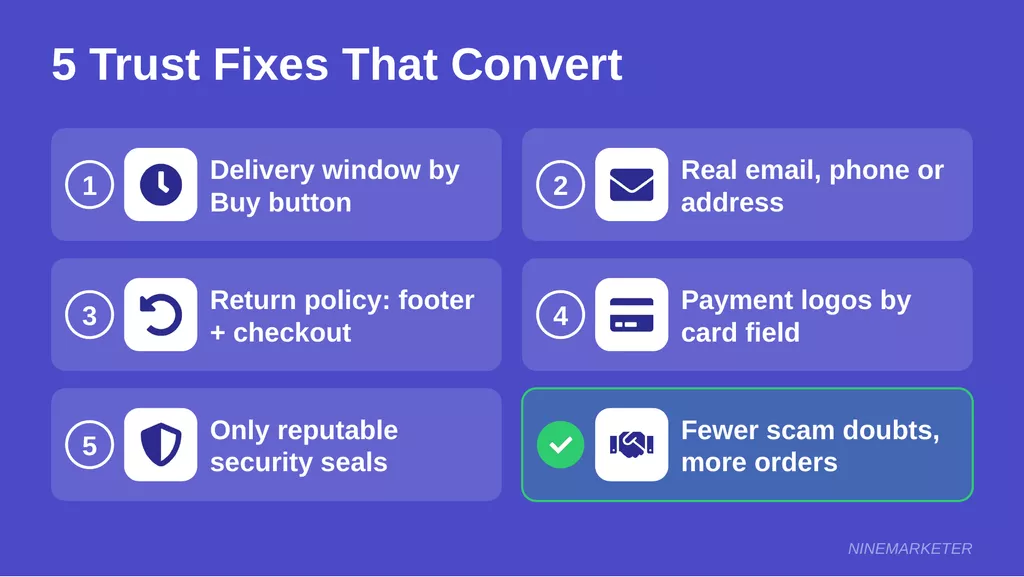
Put a clear delivery window right next to the buy button.
List a real email (a phone number or address is even better), and link the return policy in the footer and at checkout.
Add familiar payment logos near the card field, and only use seals from reputable sources, as PayPal’s checkout guide advises, since Baymard puts average abandonment at 69.2%.
Social proof is the other half of the credibility puzzle.
Northwestern’s Spiegel Research Center found that a product with five reviews is 270% more likely to sell than one with none.
A Verified Buyer label nudged purchase odds up another 15%.
Don’t stress about hundreds of reviews, either.
Nearly all of that lift happens within the first ten, and a wall of perfect five-star ratings can actually look fishy to shoppers.
Mix in a few honest 4-star reviews, and the page feels real.
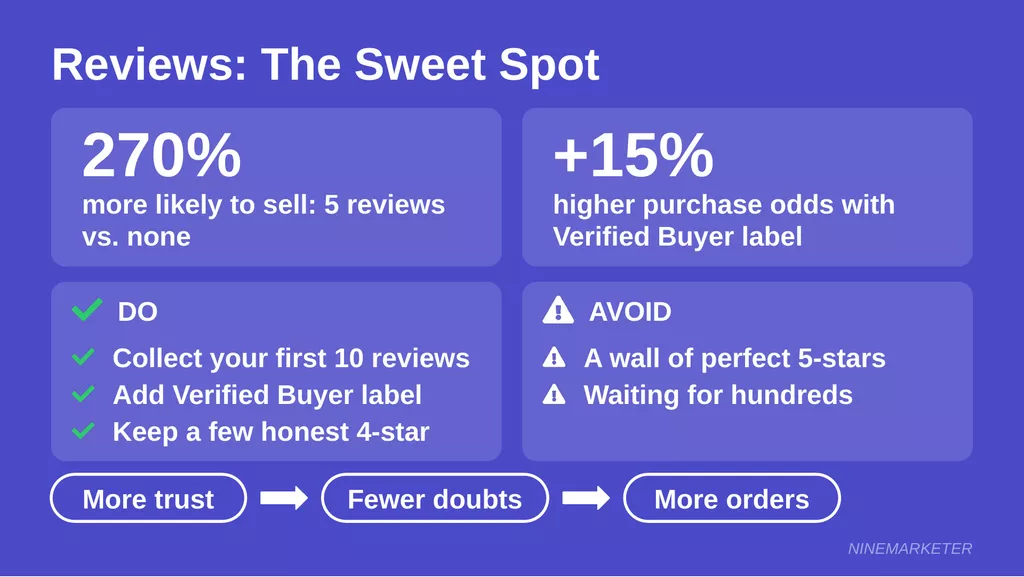
Put together, trust signals, clear policies, and genuine reviews lower the “what if this is a scam?” feeling.
Less hesitation means more completed orders, which is the whole game in conversion rate optimization.
2. The Essential Trust Badges Every Dropshipping Store Needs
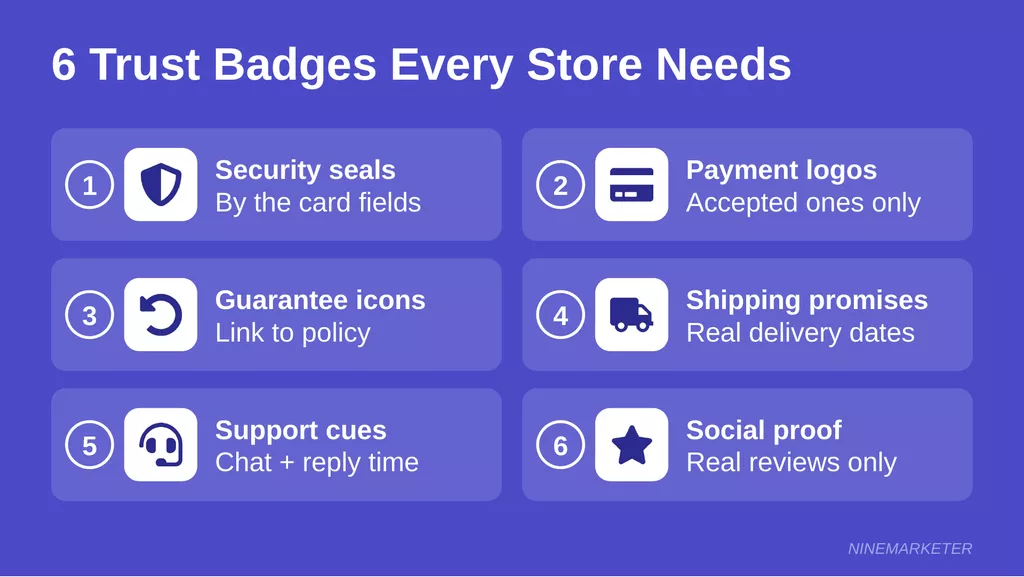
Short answer: a dropshipping store needs six kinds of trust badges.
Those are security seals, payment logos, guarantee icons, shipping promises, support cues, and social proof.
Each one calms a different “what if?” in a shopper’s head.
Here’s a made-up but super common scenario.
A store owner we’ll call Marcus (a composite, not a real person) launches his shop and slaps twelve random badges in the footer, a few of them homemade.
Sales stay flat.
Badges only work when they’re real, relevant, and sitting right where the worry happens.
So let’s walk through the six that actually matter.
Security Badges: SSL, Norton, McAfee
Start with the padlock.
An SSL certificate is non-negotiable, and most hosting platforms hand one out free.
Antivirus-style seals then add a visible layer on top.
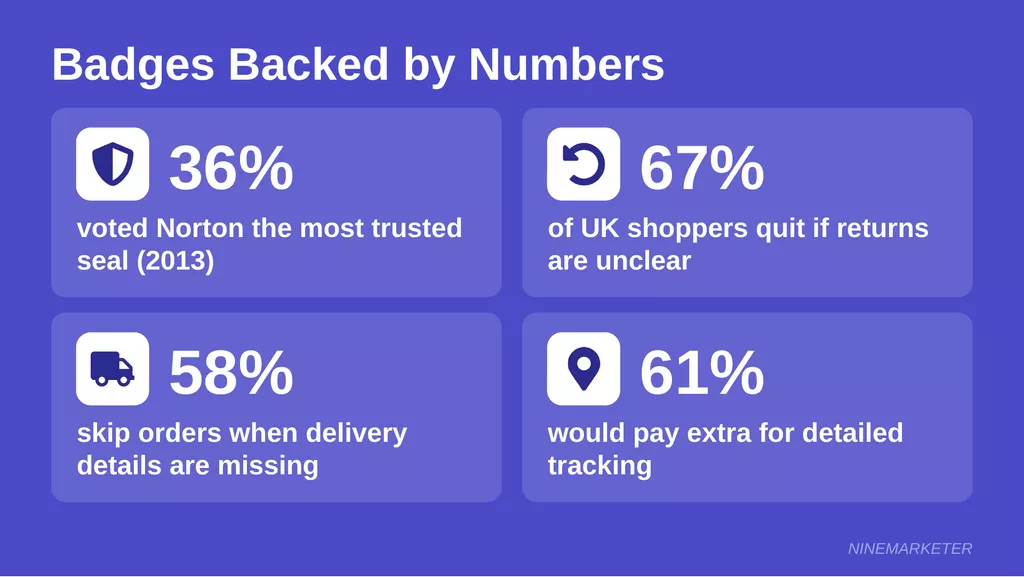
In a Baymard Institute survey, Norton won about 36% of votes for the seal giving shoppers the best sense of trust, and McAfee came second at roughly 23%. That test dates to 2013, so treat the exact numbers as a ballpark.
What it really measured was which seal made people feel safest, not which one had the strictest technical standards.
Put the seal close to the card fields, not buried in the footer.
That’s where the nerves kick in.
Payment Badges: Visa, Mastercard, PayPal, Apple Pay, Google Pay, Shop Pay
Familiar names do heavy lifting here.
A CXL research study found that big brands like Visa, Mastercard, PayPal, and Google were among the most trusted marks when paying online.
A PayPal seal gave shoppers the biggest security boost of all the brands tested.
Visa’s own checkout guidance says showing recognizable payment logos early in checkout builds confidence.
Only display the ones you actually accept, though. Nothing is more annoying than clicking Apple Pay and finding out it doesn’t exist.
Guarantee Badges: Money-Back, Satisfaction, Easy Returns
Returns worry shoppers more than most store owners think.
Research from Sendcloud, reported by Internet Retailing, showed that 67% of UK consumers abandon orders when a store’s returns policy isn’t obvious.
A 2026 Loop survey covered by ConsumerAffairs found that 58% of shoppers always or often check the return policy before buying.
So link your guarantee badge to a plain-English policy page.
And here’s the dropshipping trap: confirm your supplier’s return terms first.
A promise you can’t keep is worse than no promise.
Shipping Badges: Free Shipping, Tracking, Delivery Estimates
Vague shipping info makes a young store look sketchy fast.
In a 2018 survey of 1,105 shoppers, 58% skipped placing an order when delivery details were missing or the wait was too long.
And Avery Dennison’s research showed that 61% of shoppers would pay extra for more detailed tracking.
Skip “fast shipping” and show a real window instead, like “Arrives in 7–12 business days.” Honest beats flashy every time.
Support Badges: Live Chat and Responsive Email
Support icons tell shoppers a human is behind the screen.
In an older, vendor-sponsored E-tailing Group survey, 29% of consumers said simply having live chat available made them more likely to buy, even if they never used it.
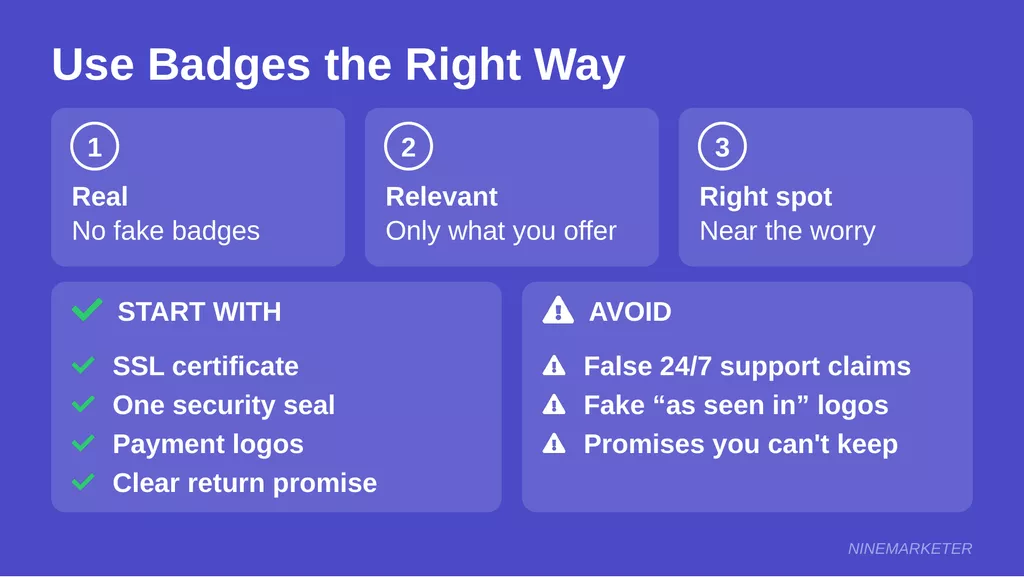
Don’t claim “24/7 support” unless it’s true.
“We reply within 24 hours” is believable, and you can actually deliver it.
A badge that’s been proven false is hard to come back from.
Social Proof Badges: Verified Reviews, Trustpilot, “As Seen In”
Reviews are the closest thing to a friend’s recommendation.
BrightLocal’s 2018 survey found that 91% of 18-to-34-year-olds trust online reviews as much as personal recommendations.
The same survey found that 85% of consumers consider reviews older than three months irrelevant, so keep fresh ones coming.
Show your real Trustpilot rating, even if it’s a 4.4 instead of a 5. And “as seen in” logos?
Only if a publication truly featured you, because shoppers can Google that in ten seconds.
Start with SSL, one security seal, payment logos, and a clear return promise.
Add the rest as real proof builds up.
3. Security Badges vs. Payment Badges vs. Guarantee Badges: What Each One Does
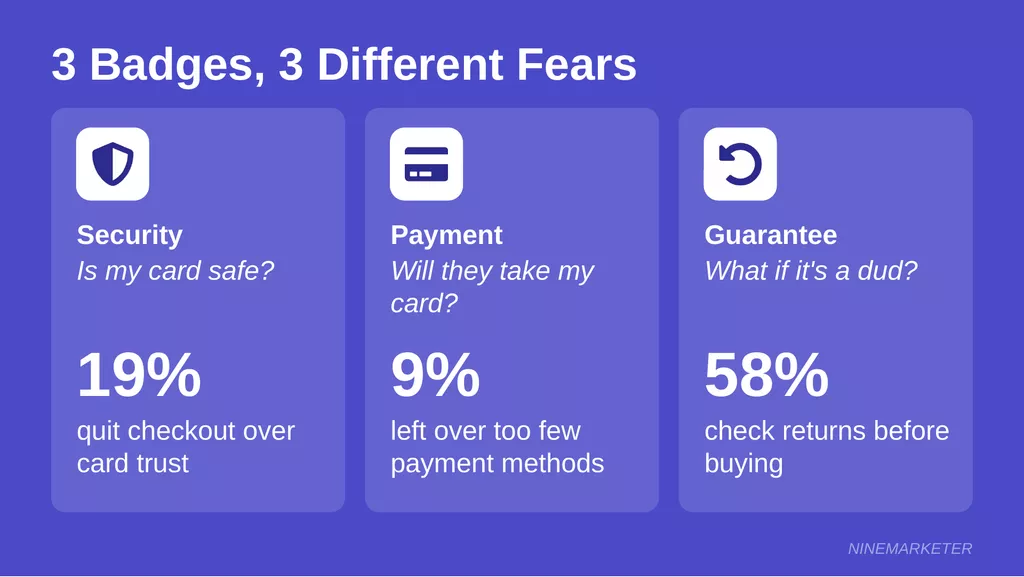
Security badges say “your card details are safe.”
Payment badges say “pay the way you like,” and guarantee badges say “you won’t get stuck with a dud.”
Same checkout, three totally different fears, and mixing them up is a classic rookie move.
What Each Badge Category Tells the Shopper
Security badges handle the scariest worry first.
In Baymard’s 2025 survey, 19% of US shoppers had abandoned a checkout within the previous three months because they didn’t trust the site with their card details.
That’s nearly one in five.
Here’s the weird part.
Every field on an HTTPS page is encrypted the same way, yet shoppers still rate the card section as riskier when it looks plain.
The fear is about feel, not facts.
Payment badges answer a more practical question: will this store take my card or wallet?
Among shoppers who left for reasons other than browsing, Baymard’s abandonment data shows 9% blamed too few payment methods and 10% a declined card.
Visa, Mastercard, PayPal, Apple Pay, and Shop Pay logos settle that doubt before the card form even loads.
Guarantee badges deal with regret.
A 2026 ConsumerAffairs report on a Loop survey found that 58% of shoppers always or often check the return policy before buying.
Nearly two-thirds have dropped a purchase or a brand because of it.
Which Badges Carry the Most Weight
Brand recognition does most of the heavy lifting.
In Baymard’s seal test from 2023, Norton’s SSL seal dominated, followed by three trust seals, while several SSL seals scored low.
Familiar names like Norton and Google did best, even though shoppers can’t explain what the seals actually certify.
Placement matters too.
Baymard saw one or two icons inside a shaded or bordered card area work well, and a wall of logos isn’t needed.
One catch: that test used shoppers matched to the general US internet population.
Selling to Europe?
Regional marks like Trusted Shops may carry more weight there, so A/B test before committing.
Third-Party Verified vs. Self-Designed Icons
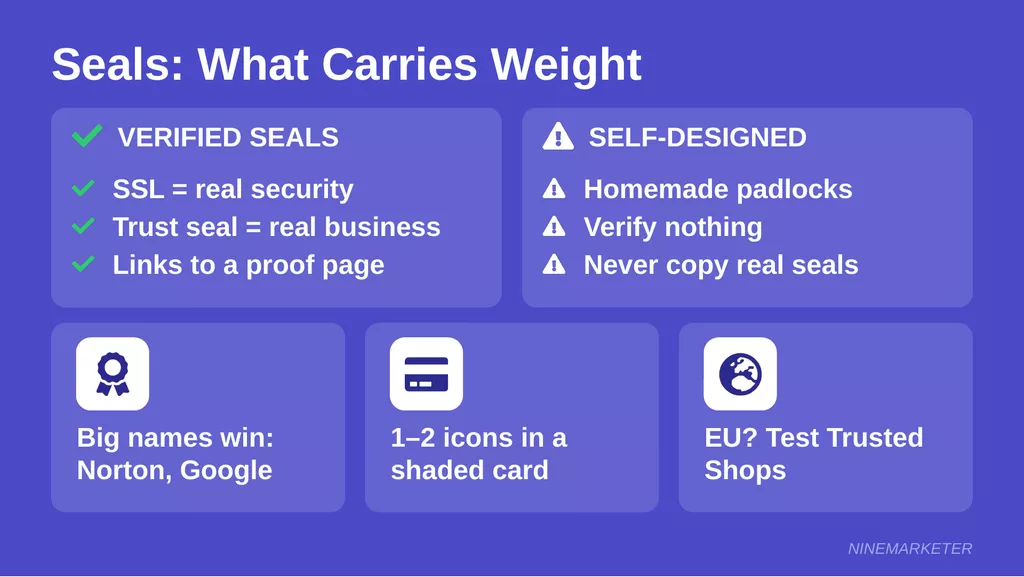
Verified seals come in two flavors.
SSL seals point to real technical security, and trust seals point to a verified business.
Many of them link to a page where shoppers can confirm the claim.
Self-designed icons are the padlocks and “Secure Checkout” graphics you make yourself.
Baymard’s 2023 test even found a homemade seal beating most SSL seals from established vendors, with Norton as the exception.
So some visual cue matters more than which one, once you’re past big-brand recognition.
But don’t run with that the wrong way.
A homemade padlock verifies nothing, so never copy a real company’s seal or claim a certification you don’t hold.
That’s a fast route to angry customers and, in many countries, legal trouble.
Guarantee badges are always self-made, and that’s fine.
The proof is the policy page behind them. Make it plain, honest, and easy to find, because shoppers dislike surprise return fees: 71% in ICSC’s 2026 survey said they’d accept fees more readily if they were disclosed upfront.
Matching Badges to Your Audience’s Biggest Worries
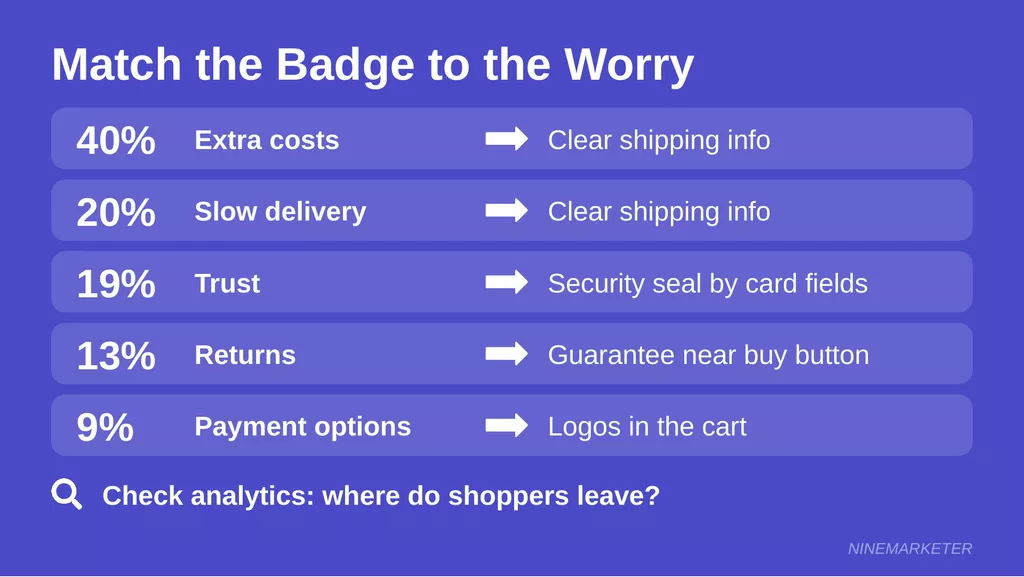
Start with the worry, then pick the badge. According to Baymard’s reasons list, once the “just browsing” crowd is set aside, 40% leave over extra costs, 20% over slow delivery, 19% over trust, 13% over returns, and 9% over payment options.
So trust problems call for a security seal beside the card fields.
Return worries call for a guarantee badge near the buy button and at checkout.
A shortage of payment options calls for visible logos in the cart.
Delivery and surprise-cost worries need clear shipping info, and no seal will fix them.
Check where shoppers drop off in your analytics first.
Leaving at the payment step points to security and payment cues, while leaving at the cart points to shipping and returns.
Take a store owner named Leila (a composite example) who sells phone accessories.
Shoppers kept bailing, so she added a shiny security seal. Nothing changed, because the real worry was return costs, and a clear 30-day guarantee finally moved the needle.
4. Where to Place Trust Badges on Your Homepage
Shoppers don’t read a homepage. They scan it, squint at it, and decide within seconds whether the store feels real.
Badges can tip that decision your way, but only if they land in the right spots and don’t elbow each other for attention.
So let’s walk the page from top to bottom.
Start at the very top
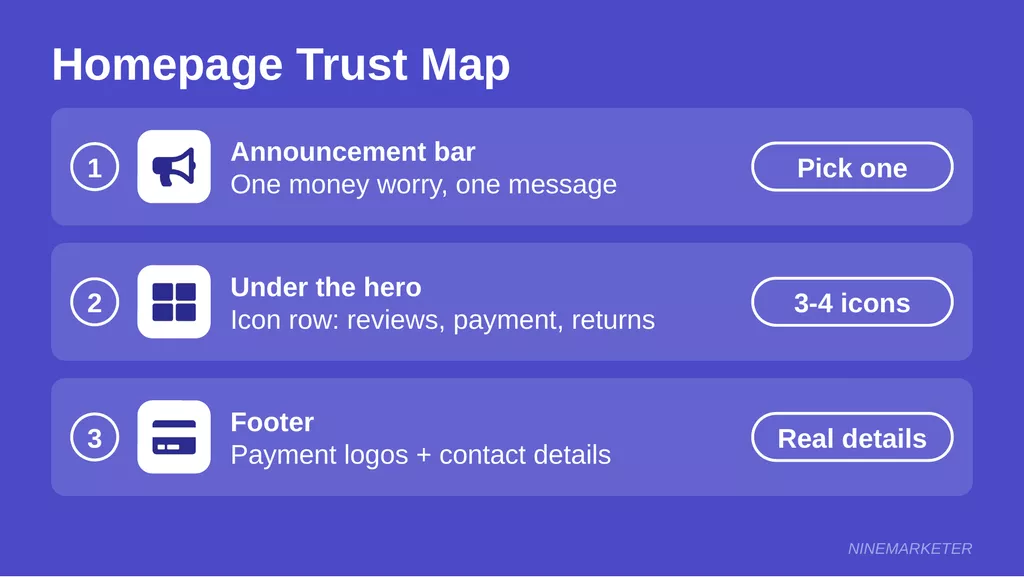
The announcement bar is the first thing anyone sees, so give it one job: ease the money worry.
ICSC’s 2026 survey found that 70% of online shoppers have abandoned a cart over shipping costs.
Among shoppers who left for reasons other than browsing, Baymard’s 2025 data shows 40% blamed extra costs and 13% blamed a returns policy they didn’t like.
That points to two messages worth testing: a shipping promise and a guarantee, like “Free shipping over $50” or “30-day easy returns.” Pick one.
Four rotating messages crammed into a thin strip just become background noise, and small phones punish it hardest.
Watch the free shipping line, though. Shoplift’s 2026 analysis treats a shipping threshold as a margin decision as much as a conversion one.
Don’t promise what your profit can’t carry.
Right under the hero banner
This is where a short “why shop with us” icon row earns its keep.
Three or four small icons with a few words each, sitting just below the main image.
Reviews, secure payment, easy returns, and delivery times are the usual suspects.
Why those four?
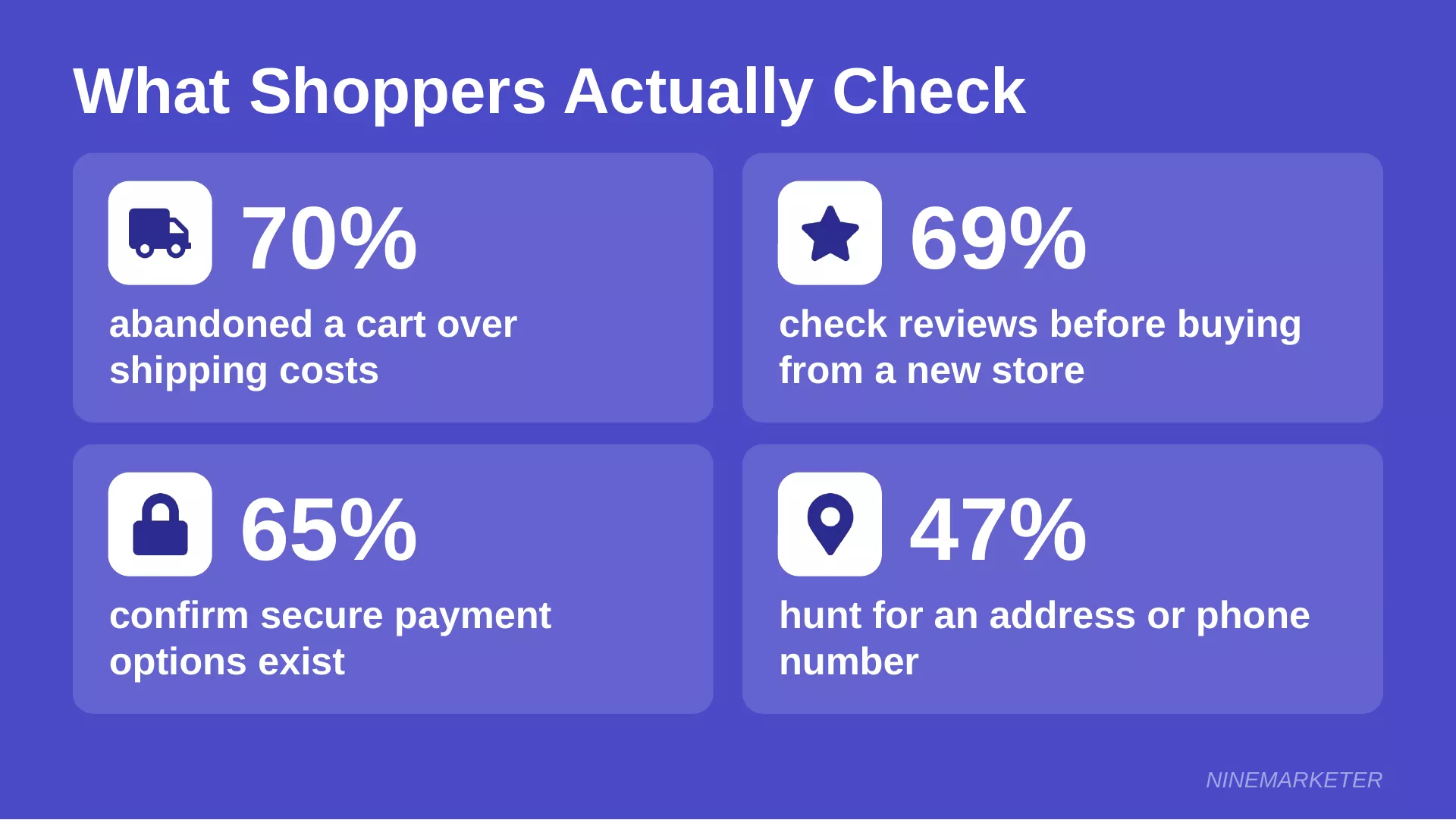
Because that’s what people actually check.
In YouGov’s US survey from December 2025, 69% of shoppers said they check reviews before buying from an unfamiliar store.
Another 65% confirm secure payment options exist, and 47% hunt for an address or phone number.
So build the row around real habits, not around whichever badges look shiniest.
And keep every claim specific.
“4.8 stars from verified reviews” usually beats “Trusted by thousands,” mostly because you can prove one of them.
Way down in the footer
The footer is the boring basement of your site, and shoppers still go down there.
It’s the right home for payment logos and contact details.
Show only the payment methods you really accept, then add a working email, a business address, and a phone number or chat link if you have one.
Contact info matters more than most owners think.
In YouGov’s UK survey, 45% of adults check for clear contact details or a physical address before trusting a store.
Unclear or missing details raised suspicion for 63% of those aged 55 and over.
Local rules count too.
Norway’s consumer authority says online shops there must show a physical address, an email, and a VAT number, and other markets have similar rules.
Check the ones where you sell.
Don’t let it turn into a flea market
Now comes the hard part: holding back.
Every badge you add is one more thing fighting for the same few seconds of attention.
Shopify’s trust research found that a clean, uncluttered layout was a trust builder, and it mattered especially to North American shoppers.
Baymard’s checkout research saw one or two icons do the job around the card fields, which hints that a crowd isn’t needed.
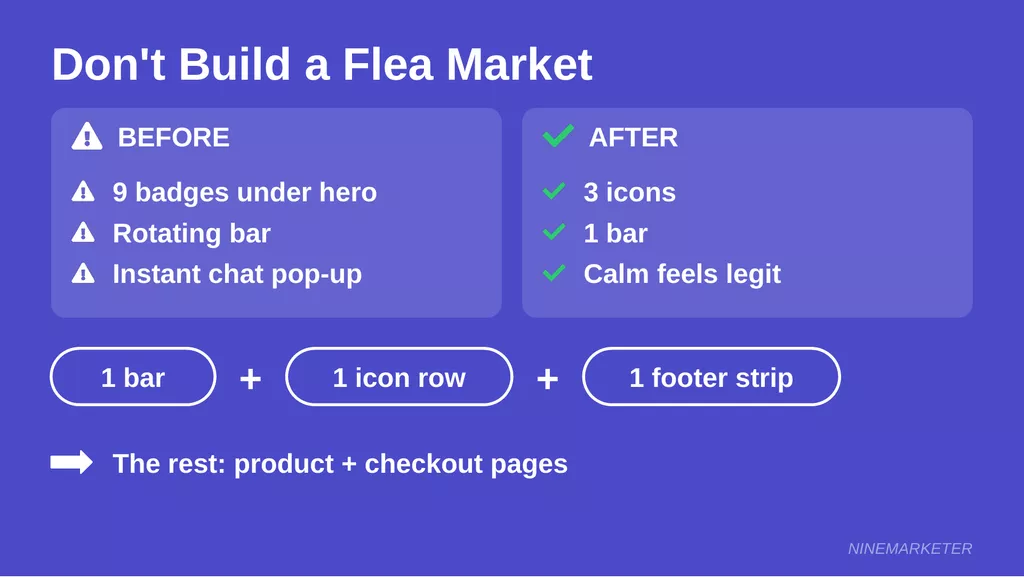
A decent homepage rule is one bar, one icon row, and one tidy footer strip.
The rest can live on product and checkout pages, where the worries actually pop up.
Frustrating, right?
You add proof so people will trust you, and it ends up making the store look desperate.
Take a store owner called Sami (a composite example, not a real case) who stacked nine badges under his hero, plus a rotating bar and a chat pop-up that fired on arrival.
His homepage looked like a bumper-sticker collection.
Once he trimmed it to three icons and one bar, the page finally felt calm, and calm reads as legit.
5. Product Page Placement: Reassure Shoppers at the Moment of Decision
Ever hovered over a Buy button, felt a tiny wobble of doubt, and wandered off to “think about it”?
Shoppers do that all day long, and the product page is where the wobble happens.
That’s exactly where your trust cues need to be waiting.
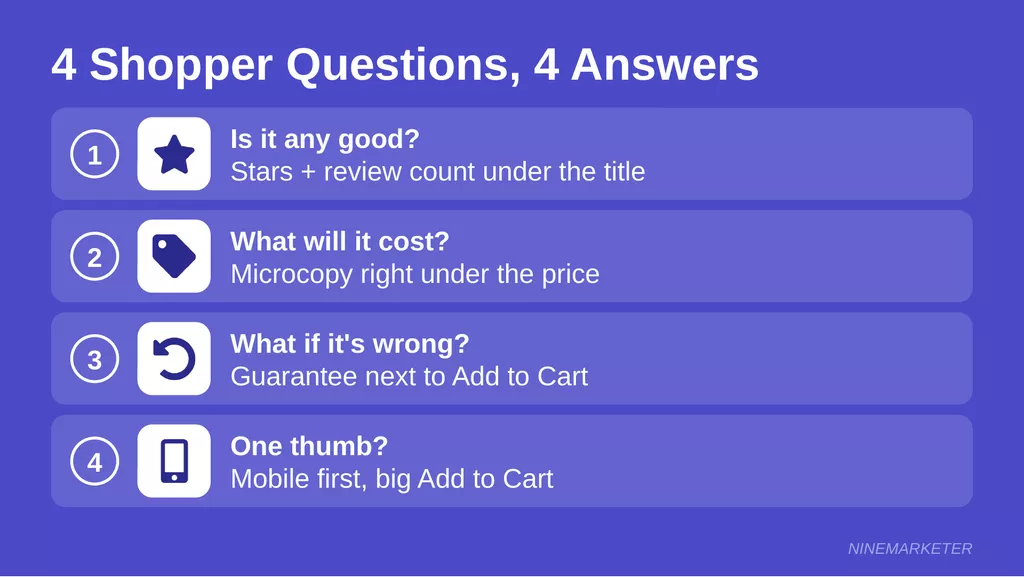
Think of it as four quick questions running through a buyer’s head.
Answer each one right where it pops up.
“Is this thing actually any good?”
That question starts at the product title, so put the star rating and review count right under it.
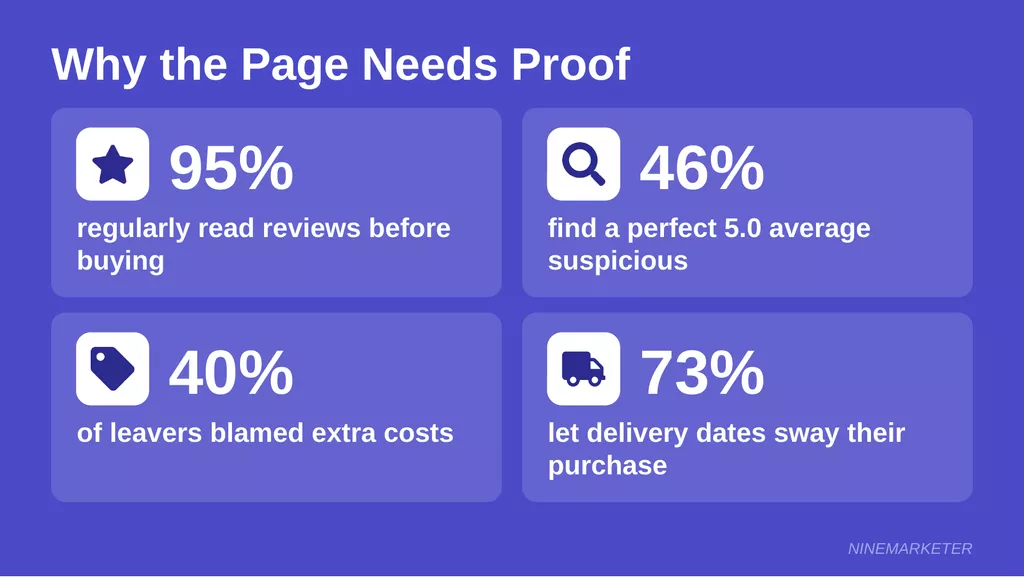
PowerReviews’ 2025 survey of more than 21,000 shoppers found that 95% regularly read reviews, and only 43% would buy a product with none.
Don’t bury the stars in a tab nobody opens.
Keep them believable, too.
Retail Brew reports that 46% of shoppers find a perfect five-star average suspicious, and a 2025 Yotpo survey found that 84% say more detailed reviews could have helped them dodge a return.
So a 4.6 with real, detailed comments beats a spotless 5.0.
If your review app can verify purchases, add a “Verified Buyer” label next to each review.
Just make sure it’s true.
“What’s this really going to cost me?”
Surprise costs are conversion killers.
Among shoppers who left for reasons other than browsing, Baymard’s 2025 data shows 40% blamed extra costs, and 12% said they couldn’t see the total order cost up front.
So tuck a line of microcopy right under the price.
Something like “Free shipping over $50 · Arrives Oct 21–24 · 30-day returns” does the job.
Setubridge, citing Narvar’s 2025 report, says 73% of shoppers let estimated delivery dates sway their purchase, and 40% won’t finish buying without one.
Dropshippers, be honest here. A real date range beats “fast shipping” every time, and it keeps the support inbox quiet later.
“What if it’s wrong for me?”
Regret lives right next to the Add to Cart button, so that’s where reassurance belongs.
One short line like “30-day returns, no hassle,” plus a small lock icon and two or three payment logos, answers the “what if” before it turns into “maybe later.”
Make the guarantee clickable so the full policy is one tap away.
A classic goof is parking the badge strip under the long product description.
That’s four scrolls from the button, and by then the shopper has already bounced.
Keep it close.
And please, check your supplier’s real return terms before promising anything on the page.
“Can I do this with one thumb?”
Most of your shoppers are on phones.
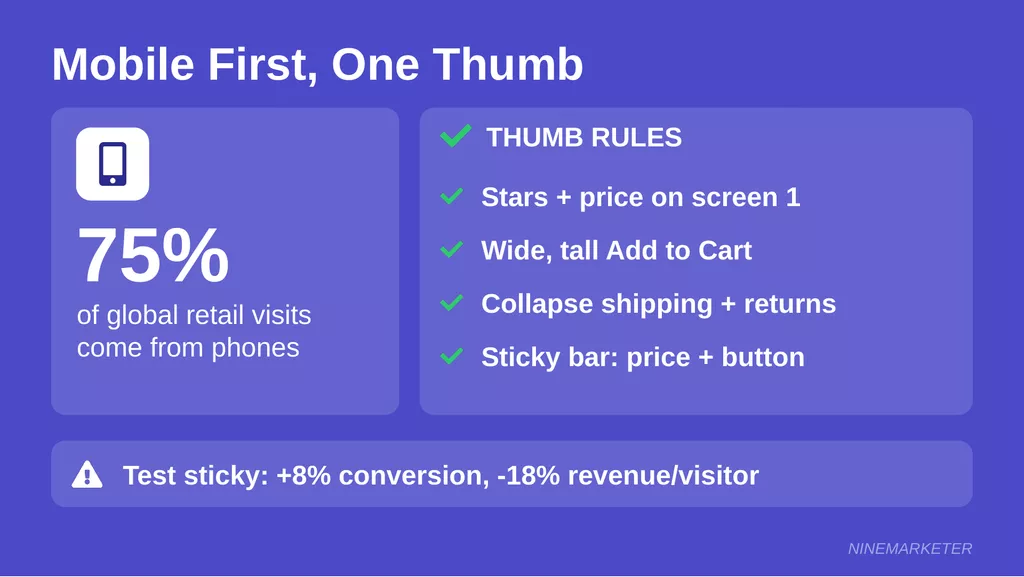
Appetiser’s 2026 roundup says smartphones drove 75% of global retail site visits and 71% of online orders in Q4 2025.
So the mobile layout is the main layout, and the desktop one is the side project.
Get the title, stars, price, and microcopy into the first screen or two.
Then make the Add to Cart button wide and tall enough for a thumb, not a pinky.
Collapse the long shipping and returns details into tap-to-open sections so the page doesn’t turn into a scroll marathon.
A sticky bottom button can help, too.
Blend Commerce’s test of a better-placed sticky button in 2025 lifted mobile add-to-cart rate 9% and conversion 8%.
It also cut mobile revenue per visitor by 18%, so test it on your own store instead of trusting it blindly.
Keep that sticky bar simple: price and button, nothing else. The trust cues already did their job higher up the page.
6. Cart and Checkout Placement: Where Trust Badges Earn Their Keep
Here’s a rule that has quietly saved plenty of checkouts: put the reassurance where the worry lives, not where the layout looks tidy.
Checkout is packed with worry spots, and most stores miss at least a couple of them. So let’s go through four common slip-ups.
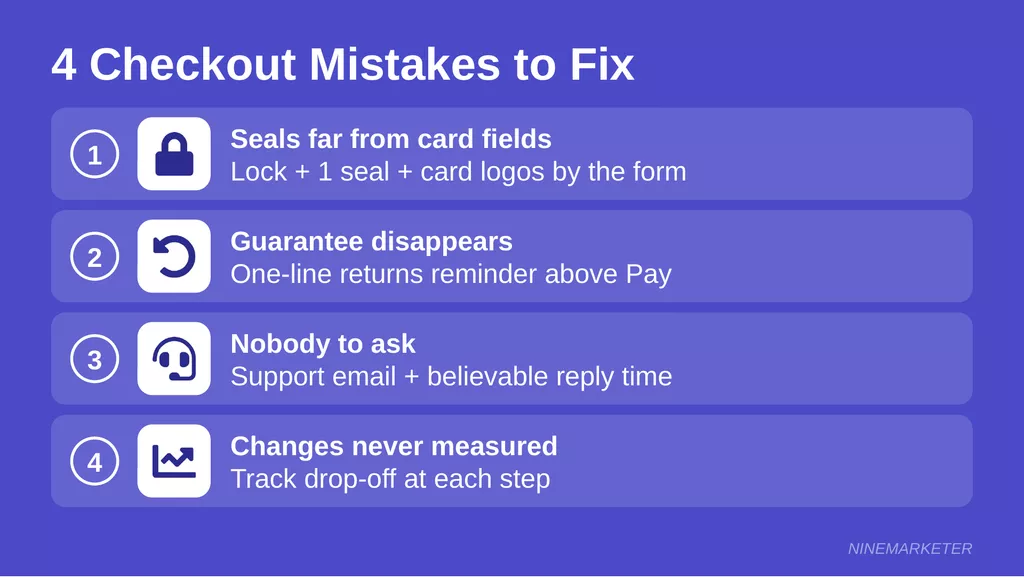
Mistake #1: Seals sitting nowhere near the card fields
The card form is where nerves spike.
A lock icon, one security seal, and a few accepted-card logos belong right beside those fields, not three screens away in the footer.
One or two is plenty.
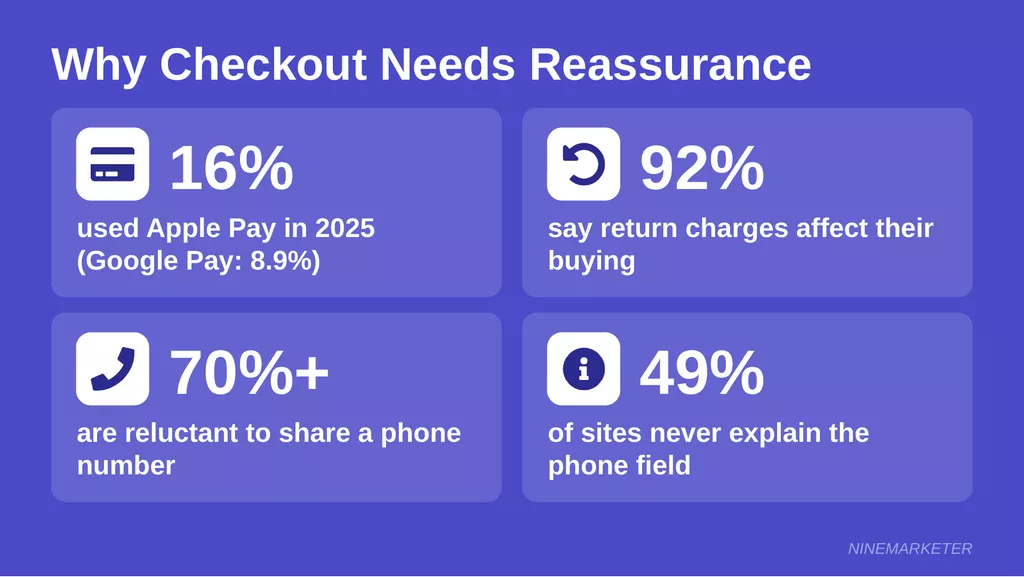
Wallet buttons like Apple Pay, Google Pay, and Shop Pay can sit at the top of checkout, but don’t lean on them alone. eMarketer reports that only 16% of consumers said they’d used Apple Pay in 2025, and just 8.9% Google Pay. Plenty of shoppers still type in a card by hand, so that form has to feel safe.
Mistake #2: The guarantee vanishes right before the pay button
Shoppers saw “30-day returns” on the product page, and then it disappeared.
Now they’re at the order summary doing their final gut check, with nothing in sight to calm them down. Ugh.
Put a one-line reminder under the summary or just above the pay button, like “30-day returns · Easy exchanges · Tracked delivery.”
A 2026 Loop survey, covered in ConsumerAffairs’ 2026 report, found that 92% of shoppers say return charges affect their online buying in some way.
Link the line to the full policy page.
Only promise what you can really do, though.
Dropshipping returns often run through suppliers, so check those terms before printing a big promise next to the pay button.
Mistake #3: Nobody to ask at the last second
Last-minute questions are real.
“Will this arrive by Friday?” “Why do you need my phone number?”
With no visible help, a lot of people just close the tab.
eDesk’s 2025 guide suggests a small “Questions?
Chat with us” badge right on the checkout page, plus quick replies to checkout questions.
A tiny store can do a version of that.
Show a support email, your hours, and a believable reply time like “We answer within 24 hours.” Skip the “24/7 chat” claim if it’s really just you and your phone.
Explain touchy fields right where they sit, too.
In Baymard’s 2025 survey, over 70% of respondents said they’re reluctant to share a phone number.
Baymard’s testing found a short explanation eased most of those worries, yet 49% of sites still don’t give one.
Mistake #4: Moving badges around and never checking what happened
A placement tweak needs proof.
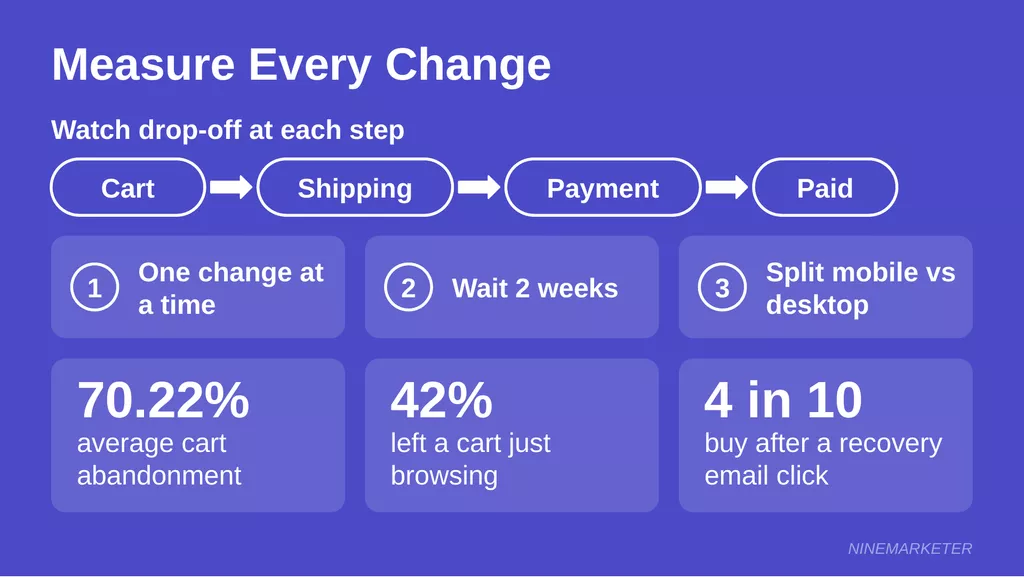
Baymard’s cart data puts average abandonment at 70.22%, and 42% of US shoppers have left a cart simply because they were browsing.
No seal can rescue that crowd, so don’t judge a test on total abandonment alone.
Watch the drop-off at each step instead: cart to shipping, shipping to payment, payment to paid.
Change one thing at a time, give it a couple of weeks, and compare mobile and desktop separately.
A dropshipper who moves a lock icon and two card logos beside the card form (a hypothetical example) will learn more from the payment-step numbers than from any hunch.
Recovery emails are the safety net, not the plan.
In Omnisend’s 2025 data, nearly 4 in 10 shoppers who clicked an abandoned-cart email went on to buy.
Fix the placement first, and then let the email catch whoever still slips through.
Final Thoughts: Turn Hesitation Into Confidence
Trust badges won’t fix a weak product or a slow supplier, but they remove the friction that stops good stores from converting.
Start with the essentials: a payment icon row, a clear guarantee, and a security seal at checkout.
Then test your placement and let the numbers guide you.
Pick one page today, probably your product page, add two or three honest badges, and watch what happens.
Small signals build big trust. Ready to audit your own store?